Posts

Showing posts with the label JPEG Repair

How to Repair JPEG Files After Recovery?

Image
Do you like photography? If yes, then this blog is for you. It doesn’t matter you are a professional photographer or shutterbug because this blog is helpful for all users who want to secure their photographs. A quote by Robert Frank - “ There is one thing the photograph must contain, the humanity of the moment. ” We capture the photos by camera and called memories. I was travelling from Paris to Amsterdam with a photographer Jason and, he shared his few experiences related to corruption in photographs with me. Jason lost his photos and tried a recovery program to recover them. A recovery program can recover the deleted data, but there is no guarantee that all recovered data are same as before. He recovered all the pictures but had some damaged or unreadable JPEG images. He repaired them by using a JPEG repair software . The software name is Stellar Phoenix JPEG Repair so when I reached to my destination, then rethink about the issue that he shared with me. Fortunately,...

How to fix Error 'Corrupt JPEG data: extraneous bytes before marker...'

From my experiences, Windows Picture Viewer is the best program to view the photos.  But yesterday I faced a issue with Windows Picture Viewer. It produced an error message while I was trying to open my photos in it. The photos file extension was 'JPEG'. After a quick search online, I have found that it is a commonly occurring issue with many users online, all with different-different picture viewer programs. So it is not exactly happen with Windows Picture Viewer. The full error message is: 'Corrupt JPEG data: extraneous bytes before marker...' Most Common Causes of this error:  This error message means that images have been corrupted.  Issue with Windows Picture Viewer program. If you are using different Picture Viewer program then there is the possibility that issue will be with your Picture Viewer program.   Most Possible Solutions:  Try to open your images in different picture viewer program. If the pictures successfully open then th...

How To Repair Corrupt JPEG Images By System Restore

Image
Damaged files inside the Microsoft Windows operating system is one of the cause of JPEG image corruption. You may get several types of error messages, when you are trying to open corrupt JPEG image files. You can easily repair JPG images which may get corrupt due to windows operating system data corruption. There are two options to JPEG repair first use manual method, second use JPEG recovery software. Cause: Missing or damaged operating system files are main cause of image file corruption. Other causes can be an incomplete deletion of files, a partial installation of program, incorrect or incomplete erasure of applications software. Incorrect system shutdown and virus or spyware attack can corrupt JPEG files. Solution: There are several JPEG repair method and software are available which could be use to repair corrupt JPEG files. Here I am sharing about manual method to repair corrupt image files by system restore. Start up your pc and then login as an admi...

How to Solve JPEG Image Error “Invalid Image File Header”

Image
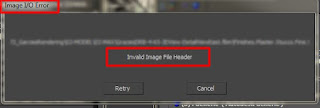
There are various reasons due to which JPEG files get corrupt. In each type of corruption you will find different type of error messages. Once you get such error you must have tried to render JPEG image with Backburner 3dsMax and again encounter to Error massage “Invalid Image File Header”. Due to this you may observe some broken texture and 3dsMax which could not open these images. Server could not find few JPEG images if you are using internet rendering. JPEG file corruption can be the cause behind above written Error. If you are sure those jpg corruptions is main cause then use some JPEG repair method to fix it. Here are few tips which you can use to find damaged images and resolve it. Find problem files: Those jpeg file sizes are bigger than other jpeg in a folder. Over 100 kb. You can find file names from a net render error massage. Photoshop can't open those files but Window's Paint can. Go to Windows > Accessories > Pa...

How to solve error “invalid jpeg marker” of corrupt JPEG images

Image
Image via Wikipedia This is a usual case, at the time of formatting a hard drive you move your important files, images and documents in other drive or disk, so that they could not accidentally get deleted. After formatting when you try to open your documents and images, you get an error message which says that files could not open due to certain reasons. In the case of JPEG images you get error message “invalid jpeg marker” and you could not open your valuable images. This is the case of JPEG file corruption and you need to apply some jpeg repair method or JPEG recovery software to fix your problem. In some case of JPEG image corruption you are able to see thumbnail of the images but these images could not open. There is no specific reason for above problem. It can be due to virus attack, missing some files, header corruption or change in file extension etc. Below few methods are written which you can try… It might be possible that file extension of all JPEG file...

How to Solve JPEG error "Publisher cannot convert this picture"

Image
Image by jimmiehomeschoolmom via Flickr Microsoft Publisher is desktop publishing tools which allow creating newsletters, flyers and greeting cards. With the use of this tool you can insert images in the create templates. But if you are trying to insert some corrupt or damaged JPEG images, then it will not allow you to do so. The publisher tool will give a message "Publisher cannot convert this picture" in the above situation. There are several ways to fix this error one is to repair JPEG images with JPEG recovery software then try to insert it. If you don't want to purchase jpg repair tool then try these methods given below to solve JPEG error "Publisher cannot convert this picture" Method 1: It may be possible the JPEG filter may get corrupt. In this situation you can use MS paint to change file format of your JPEG images in the format which allowed by MS publisher. This method will work perfectly for all t...

How to Fix Error Code 0x8001008 of Corrupt JPEG Files

Image
Image via Wikipedia Image via Wikipedia JPEG file format is most used format for photos which are used by digital cameras and other digital photographic image capturing devices. JPEG or JPG is a compressed format of digital photos. JPEG files format is very popular because it provides smooth and realistic images with variation of tone and colour. But these secure JPEG image files may also get corrupt like other photos and files. You may get 0x8001008 error message sometime when you are trying to open JPEG files in your digital camera or any other storage device. When JPEG image is logically damaged then this type of error arises. Each and every photo contains some special memory of your life and you don't want to loss these photos at any cost. To avoid such situation it is advisable to you always take backup of your special photos so that recovery of photos gets easy from backup. Suppose due to error 0x8001008 the backup photos get corrupt, now what to do to recov...